
Detect If Another iOS App Is Installed Using SwiftUI
How to check if another iOS app is installed using canOpenURL and custom URL schemes in SwiftUI. Includes Info.plist setup and working code examples.

TL;DR
If you want to check whether another iOS app is installed from your SwiftUI app, use UIApplication.shared.canOpenURL() with the target app's URL scheme. You must declare the schemes you want to query in your Info.plist under LSApplicationQueriesSchemes. This article shows you exactly how to set it up.
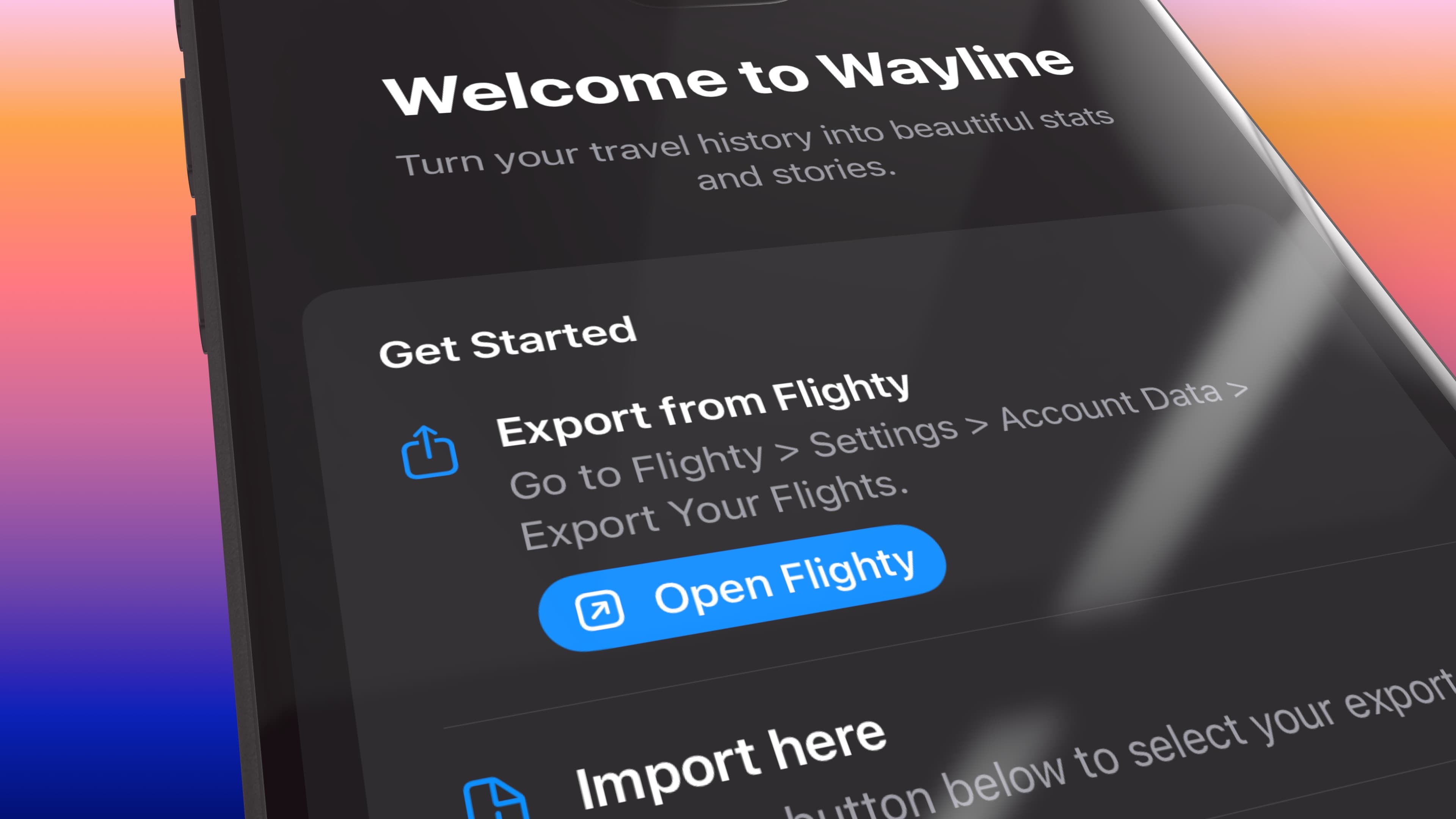
I'm building a companion app for Flighty in SwiftUI, and I wanted to detect whether Flighty app was already installed on the user’s device, in order to ask them to open it and export their flight data. I have written instructions how to do this in the app's onboarding, but providing a direct link to the app provides a way smoother UX. Since Flighty itself isn’t my app, I need to
If Flighty is installed, I can show a shortcut that opens it directly. If it isn’t, that option stays hidden.
The basic idea
iOS allows apps to check whether another app is installed by asking the system if it can open a specific URL scheme.
There are some important constraints:
- You must declare the URL schemes you want to query in
Info.plist - Apple expects you to have a legitimate reason for checking
- Querying lots of unrelated apps can lead to App Review questions
Used carefully, this is a supported and documented approach.
Step 1: Identify the app’s URL scheme
Many apps expose a custom URL scheme, either publicly documented or discoverable through testing. Flighty exposes the flighty:// scheme, which makes this possible. If you write that in your browser and press enter, it should prompt to open Flighty. On iOS you can then call the scheme with canOpenURL to see if the app is installed – as long as you've registered the scheme in your app first.
Step 2: Register the scheme in Info.plist
You must explicitly add this scheme to your apps' Info.plist file, using Queried URL Schemes (key is LSApplicationQueriesSchemes). You can do this either through Xcode or by editing the Info.plist directly.
In Xcode navigate to Targets → You app name → Info tab → Custom iOS Target Properties:

Alternatively, editing Info.plist directly, add this:
<key>LSApplicationQueriesSchemes</key>
<array>
    <string>flighty</string>
</array>
This flags tells iOS that your app is allowed to ask whether flighty:// can be opened. Without this, canOpenURL will always return false.
Step 3: Check if the app is installed
With the scheme registered, the runtime check is simple. Here’s the property I use in my SwiftUI app:
private var isFlightyInstalled: Bool {
    guard let url = URL(string: "flighty://") else { return false }
    return UIApplication.shared.canOpenURL(url)
}
If this returns true, the app is installed on the device. I use this in my app to conditionally render UI, showing a button that opens Flighty only when it’s actually available.

Opening the other app
Once you know the app is installed, opening it is straightforward:
private func openFlighty() {
    if let url = URL(string: "flighty://") {
        UIApplication.shared.open(url)
    }
}
A note on privacy and App Review
You should be careful when checking for other apps, there used to be no limitations on this but some ad SDK apparently abused this method. But if you're doing it for a legitimate purpose, Apple is generally fine with this pattern when:
- The integration is clear and user-facing
- You only query the specific app you integrate with
- You’re transparent about what you’re doing
Be explicit in your App Review notes and privacy policy about why you check for the other app. The goal here is user convenience, not tracking.
Final thoughts
This is a small feature, but it can make a big difference in the user experience. I like these kinds of UX "hacks", that you most likely won't even pay that much attention to, but which just make the life of the user a tiny bit easier when interacting with your app.
Related articles
- React Native in-app purchases guide - Monetize your iOS and Android apps
- App release checklist - Don't forget these before shipping

Comments
No comments yet. Be the first to share your thoughts.
Leave a comment
Comments are moderated before they appear.